
I Asked an AI to Control My Entire MacBook — Here's What Happened
I Asked an AI to Control My Entire MacBook — Here's What Happened
A first look at Cola AI, a closed early-access beta that blurs the line between chatbot and operating system.
I build things at the intersection of brains and machines. Brain-Computer Interfaces — BCIs — are my corner of the tech world, and I spend most of my waking hours reading papers, writing code, and wishing I had three more hands. So when I got an invite to the closed early-access beta of something called Cola AI, my first thought was: another chatbot wrapper, probably.
I was wrong. Spectacularly, entertainingly, sometimes-frustratingly wrong.
What follows is an honest account of my first real session with Cola — from an unexpectedly personal onboarding, to watching it play Celtic music on YouTube, to throwing the hardest multi-step task I could think of at it and seeing what survived. If you're the kind of person who wants AI to do real work on your actual computer, not just generate text in a sandbox, this one's for you.
Meeting Cola: "What's Your Name?"
Most AI products greet you with a product tour. A carousel of features. Maybe a cheerful "How can I help you today?" in that unmistakable customer-service register.
Cola asked me my name.
Not in a form field. In conversation. Casually, like someone you just sat down next to at a coffee shop.
"I'm Yuichi," I typed.
What followed wasn't a setup wizard. It was a conversation. Cola asked what I do day-to-day, what kind of problems eat up my time, how I deal with things when they get hard. The questions were specific and human — not the kind of thing you'd find in an onboarding questionnaire.
When I told Cola I wanted it to control my entire MacBook Pro — emails, files, research, media, everything — there was no hedge, no disclaimer, no "I'm just a language model." The response was more like: Got it. Let's see how far we can push this.
And when I said my coping style for hard problems is to charge straight through them, Cola remembered that. It came back later, in ways I didn't expect.
The thing that hit me first wasn't a feature. It was the tone. Cola doesn't talk like an assistant. It talks like a sharp friend who happens to be unreasonably good at computers. Casual. A little playful. It uses informal language, cracks jokes, and occasionally roasts you — gently — if you're being indecisive. It's disorienting at first, and then it's just... nice. Like the difference between a GPS voice and a friend in the passenger seat who actually knows the neighborhood.
"Let Me Show You What I Think You Look Like"
This is where things got weird — in the best way.
Unprompted, Cola offered to draw what it imagined I looked like, based on our conversation. I said sure, half expecting a generic anime avatar or some corporate stock-illustration nonsense.
What I got was a cinematic, surrealist portrait: a solitary figure standing at the edge of a vast, glowing digital command bridge, seen from behind. The figure was reaching out toward luminous architecture that stretched into infinity — half neural network, half city skyline. The color palette was deep indigo and electric cyan, with volumetric light spilling from the structures like something between a Blade Runner set and a visualization of a living brain.

It was genuinely striking. Not because it was photorealistic or technically perfect, but because it felt intentional. When I asked why the figure was shown from behind, Cola said:
"The back view is because you're always looking forward."
I actually paused. That's not a canned response. That's Cola taking what I'd told it — the BCI work, the "charge straight through it" attitude, the desire to control everything from one place — and turning it into a visual metaphor. It wasn't profound philosophy. It was more like a friend who's been paying attention making an observation that lands exactly right.
I've used plenty of AI image generators. This was the first time one felt like a gesture.
"Can I Ask Something Crazy?"
After the portrait, I was curious. Not about text generation — every AI can do that. I wanted to know what Cola could actually do on my machine. So I started small. Well, small-ish.
"Can you play Castle in the Sky Laputa Celtic-style music on YouTube?"
This is the kind of request that should be simple but isn't. It requires opening a real browser, navigating to YouTube, constructing a reasonable search query, selecting an appropriate result, and actually playing it. Most AI tools would give you a link and call it a day.
Cola opened Chrome. Searched YouTube. Found a Celtic arrangement of the Castle in the Sky soundtrack. Played it. And — this is the part that made me lean forward — it set it to radio mode, so related tracks would auto-play afterward.
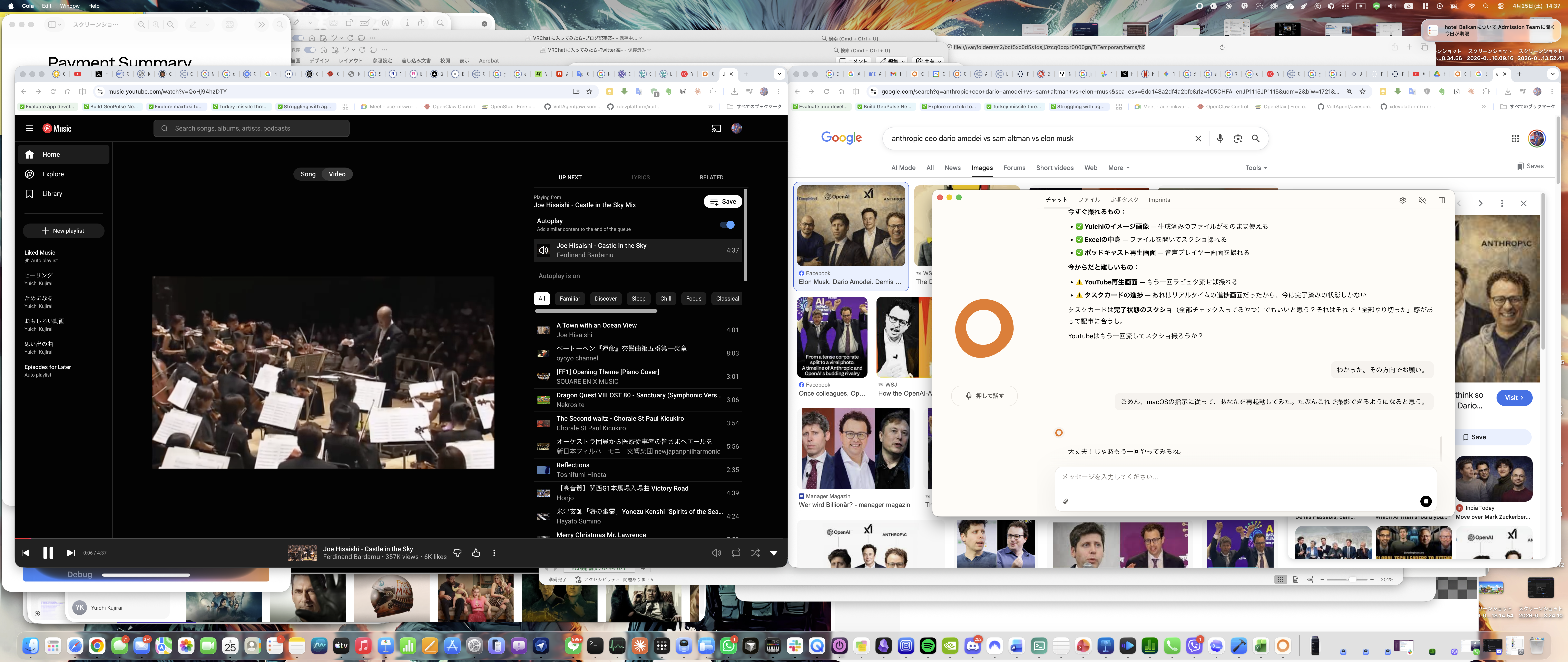
I sat there listening to Celtic harp arrangements of Joe Hisaishi while an AI controlled my browser, and I thought: Okay. This is different.
It wasn't just that it worked. It was how it worked. There was no popup asking me to confirm, no intermediate "I found this link, would you like me to open it?" dialog. Cola just... did the thing. Like someone borrowing your laptop, typing a query, clicking play, and handing it back. The music filled the room. It felt less like using a tool and more like having someone in the room with me.
The Real Test: "Do Everything at Once"
Here's where I decided to stop playing nice.
Earlier in our conversation, Cola had mentioned that the hardest thing about real-world AI work is combining everything together — research, analysis, creation, distribution. Individual tasks are table stakes. The pipeline is where things break.
So I threw the pipeline at it.
The prompt: "Research the 5 latest BCI papers, summarize them in an Excel spreadsheet, create a podcast discussing the findings, upload everything to Google Drive, and notify me via Gmail when it's done."
Five distinct tasks. Multiple tools. External services. The kind of request that would make a project manager reach for a Gantt chart. I wanted to see what would happen.
What happened: The research
Cola didn't just Google "BCI papers 2024." It deployed what it called a researcher agent — a focused sub-process that investigated the BCI landscape in parallel threads, pulling from both Western and Chinese research ecosystems. Within minutes, it came back with five papers that weren't just recent but genuinely representative of the field's cutting edge:
1. UCSF Brain-to-Voice Neuroprosthesis Researchers at UC San Francisco developed a brain-computer interface that decodes neural signals from a paralyzed patient's attempted speech and synthesizes them into audible words in near real-time. The system uses high-density electrocorticography (ECoG) arrays placed on the speech motor cortex, achieving communication rates that approach natural conversation speed. This is the kind of work that makes you believe we're only a few years from giving locked-in patients their voices back.
2. Tsinghua University NEO (Neural Electronic Opportunity) Tsinghua's NEO system represents a major push from Chinese research institutions into high-channel-count, minimally invasive brain interfaces. Using flexible electrode arrays that conform to the brain's surface, NEO achieves impressive signal fidelity while reducing the tissue damage associated with rigid, penetrating probes. The engineering here is remarkable — they're essentially building electronics that behave like biological tissue.
3. Paradromics Connexus Direct Data Interface Paradromics, a US-based startup, has been developing Connexus — a system designed for massive parallel recording from the brain at data rates that dwarf existing implants. Think of it as going from dial-up to broadband for brain signals. Their approach uses bundles of micro-wires bonded to a custom CMOS chip, aiming for clinical applications in speech restoration and beyond.
4. Neuralink Blindsight Neuralink's Blindsight project targets visual restoration — delivering camera-captured images directly to the visual cortex of blind patients via their implanted chip. The early results, while still crude in resolution, demonstrate that meaningful visual perception can be restored through direct cortical stimulation. The implications for both medical treatment and our understanding of visual processing are enormous.
5. ETH Zurich Holographic Ultrasound Neuromodulation ETH Zurich took a completely different approach: non-invasive brain stimulation using holographic ultrasound. By shaping ultrasound waves to focus on specific brain regions with millimeter precision, they can modulate neural activity without any surgery at all. This could be a game-changer for both research and therapeutic applications, offering the spatial precision of invasive methods with the safety profile of a completely external device.
The fact that Cola pulled research from both US and Chinese ecosystems — and knew to do that for BCI specifically, where China is making rapid advances — showed a level of domain awareness I didn't expect.
What happened: The Excel summary
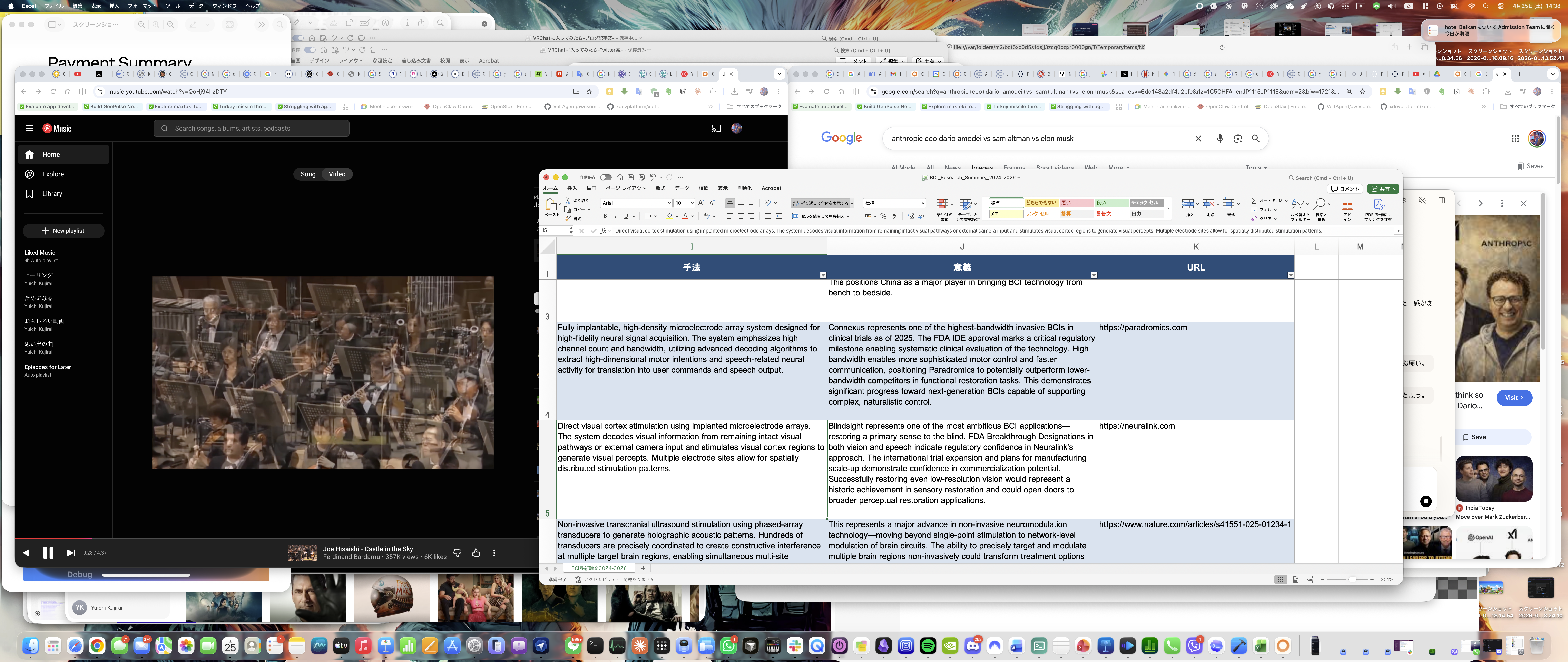
Cola compiled the five papers into a clean, professionally formatted Excel spreadsheet — in Japanese, matching my working language. Columns included paper title, institution, core technology, key findings, clinical status, and significance. It wasn't just a data dump; the summaries were concise and accurate, the kind of thing I'd actually send to a colleague.
What happened: The podcast
This is where things got interesting — and where I hit the first real rough edge.
Cola generated a podcast episode discussing the five BCI papers. The audio was surprisingly well-produced: two speakers having a natural-sounding conversation about the research, with good pacing and genuine back-and-forth rather than robotic turn-taking. The content was solid — they hit the key points of each paper and drew connections between them.
The catch? The podcast came out in Chinese.
Not Japanese, which would have matched my context. Not English, which might have been a reasonable default. Chinese. Cola explained that Japanese speakers weren't available in its current podcast generation system, and it defaulted to Chinese as the closest available option. It was upfront about this — no attempt to pretend it was intentional or spin it as a feature.
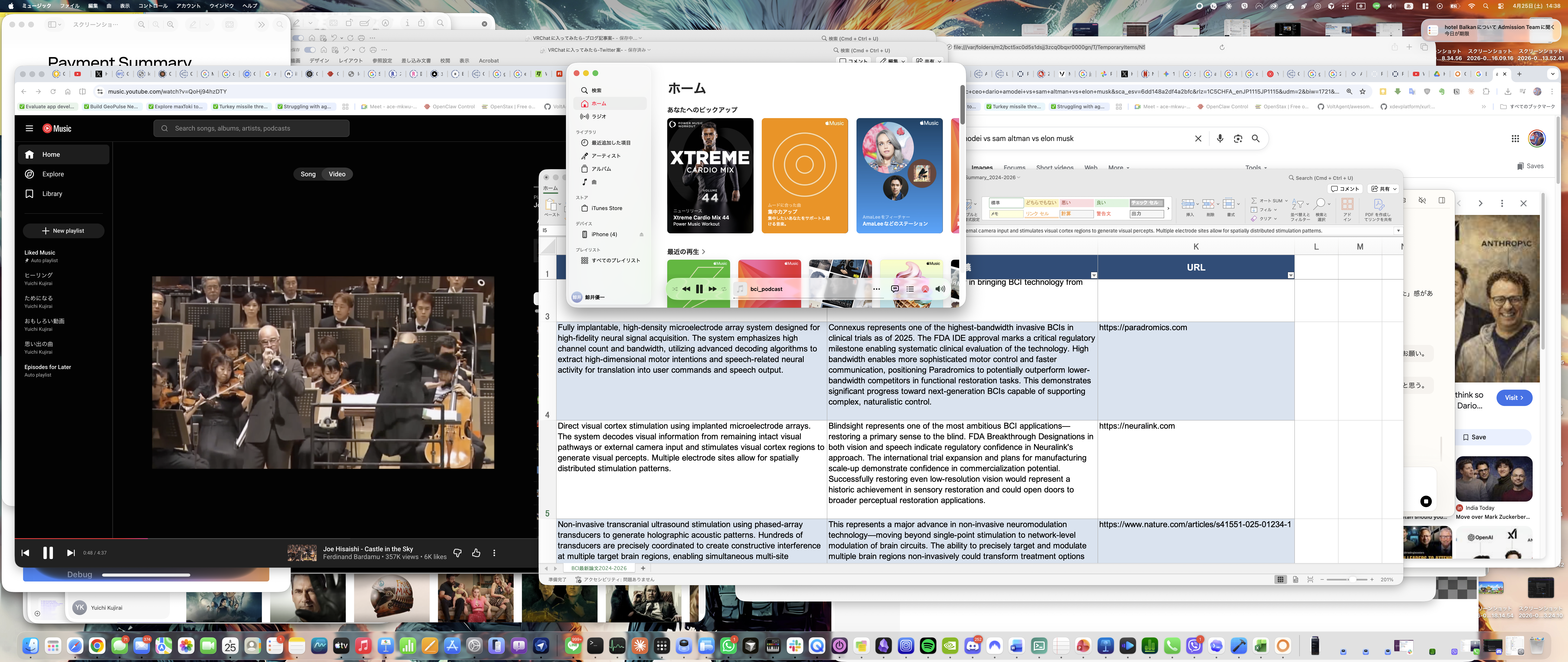
Was the Chinese podcast useful to me? Partially — I can understand Chinese, so it wasn't a total loss. But it's the kind of thing that reminds you this is early-access beta software. The capability is there; the polish isn't, yet.
What happened: Google Drive and Gmail
Here's where the pipeline broke.
Cola attempted to upload the files to Google Drive and send me a Gmail notification, but the gws CLI (Google Workspace command-line interface) wasn't installed on my system. Rather than silently failing or throwing an obscure error, Cola acknowledged the gap, explained what happened, and pivoted — uploading the files to its own cloud storage and providing me with download links instead.
Was it the seamless end-to-end experience I'd asked for? No. Did it handle the failure gracefully? Yes. And honestly, I respected that more than if it had just worked. The task card that tracked progress across all five stages — research, Excel, podcast, upload, notification — gave me visibility into exactly where things stood and where they fell short.
Honest Review: What Worked and What Didn't
I've been around enough product launches to know the difference between marketing and reality. So let me be straight about both.
What genuinely impressed me
The personality is real, and it matters. I know this sounds like a soft thing to lead with, but after years of interacting with AI assistants that feel like talking to a very polite refrigerator, Cola's casual warmth is a genuine differentiator. It makes you want to push the boundaries of what you ask for, because it feels like you're collaborating with someone, not filing tickets with a system.
System-level control works. Playing YouTube, browsing the web, working with local files — Cola operates on your Mac, not in a walled garden next to it. When it opens Chrome and plays a video, it's your actual Chrome, your actual browser session. This is fundamentally different from chatbots that live in a text box.
Multi-step orchestration is ambitious and mostly functional. The BCI research pipeline — from paper discovery through Excel summarization to podcast generation — is the kind of compound task that most AI tools wouldn't even attempt. Cola attempted it, completed most of it, and was transparent about where it fell short.
Parallel research is smart. Dispatching sub-agents to investigate different facets of a topic simultaneously, rather than searching sequentially, shows architectural thinking that goes beyond simple prompt-response loops.
The image generation has soul. I don't mean that in a hand-wavy way. I mean that Cola used context from our conversation to make creative decisions that felt personal and intentional. That's a design choice, not a technical achievement, and it's the kind of choice that makes you remember an experience.
What needs work
Language handling in media generation. The Chinese podcast when I needed Japanese is a real gap. For a tool aimed at power users who may work across languages, robust language selection in generated media is essential. Cola knew this was wrong and said so — which I appreciate — but it still needs to be fixed.
External service integrations are fragile. The Google Drive/Gmail failure wasn't Cola's fault per se — the CLI tool wasn't installed — but a production-ready system needs to either verify prerequisites before starting a pipeline or guide the user through setup. Failing gracefully is good; not failing at all is better.
The learning curve is invisible. Cola can do a lot, but there's no real way to know what it can do without asking. I stumbled into the YouTube control and the image generation somewhat randomly. A more structured way to discover capabilities — without resorting to a boring feature list — would help new users push boundaries faster.
Beta roughness. This is a closed early-access beta, and it feels like one. Things occasionally take longer than expected, some integrations aren't connected yet, and you can tell the system is still figuring out the edges of what it can handle. None of this is unusual for the stage, but it's worth setting expectations.
So What Is Cola, Actually?
I've been thinking about this since the session ended, and I think the closest analogy is this: Cola is what happens when you give an AI agent actual hands.
Most AI tools today are brains in jars. They can think, generate, analyze — but they can't do anything on your actual computer. They live behind an API wall, and every interaction with the real world requires you to be the intermediary. Copy this, paste that, download this file, upload it there.
Cola sits on your Mac. It can open your apps, control your browser, read your files, play your music, generate documents, create media, and orchestrate multi-step workflows that span research, creation, and distribution. It's not perfect at any of these things yet — this is early beta — but the shape of what it's building is clear, and it's shaped like something I've wanted for a long time.
For someone like me who works across research, code, and creative output — and who, yes, wants AI to control their entire MacBook Pro — Cola is the first tool that has made that feel possible rather than theoretical.
The personality is the thing that makes it stick, though. I can tolerate a tool that fails sometimes if it feels like it cares about the work we're doing together. Cola's casual, friend-like communication style isn't a gimmick. It's what makes you open the app again the next morning, curious about what you'll try next.
What's Next
Cola is in closed early-access beta, and it's clearly evolving fast. The foundation — system-level Mac control, multi-agent orchestration, personality that doesn't feel manufactured — is strong. The gaps — language support in media, external service reliability, discoverability — are the kind of things that get fixed with iteration.
I'll keep pushing it. Harder prompts. Longer pipelines. More languages. I want to see how far this goes. Because for the first time in a while, I used an AI tool and didn't feel like I was working around its limitations. I felt like I was exploring its potential.
And the Celtic Castle in the Sky music is still playing.
Yuichi is a developer working in Brain-Computer Interfaces. He received access to Cola AI through its closed early-access beta program. This post reflects his personal experience and was not sponsored or reviewed by the Cola team.